Notetaking Is Life Changing
The first section of this blogpost is on the topic of maintaining a personal knowledgebase in general, and the second section is about my personal setup for information retention and organization. You can skip ahead to my technical details by clicking here.
Write It Down
It is imperative that you write it down. The importance of writing it down cannot be overstated.
The thoughts that you have in your mind right now are only in your mind right now. You might not need them now. You might need them later. They might not be in your mind later, when you need them. Your mind is an ephemeral rolling storage device. Once it loses power all the information contained therein is gone, so writing things down is the only way for you to continue propogating information after your death. Once enough time passes (even if you don't die), the overwhelming majority of the thoughts in your mind will be replaced with new thoughts. Only those that are foundational or reinforced through some type of spaced repetition are going to last a long time. If you write down your thoughts, you can keep them after you forget them.
You know that thought that you had in the shower? That thought was a seed. When you posted that thought to social media or in the group chat with the boys, you ate the seed. Maybe it was a tasty seed. Maybe it felt good to eat. Maybe other people saw the seed and said "oh that's a good looking seed, you're so cool" and you got gratification from a lot of likes 👍 or upvotes ⬆ or retoots 🔃 or (You)s 🐸 and now you've received your reward for finding that seed and it's gone. You ate it. It's digested in your guts and now it's useless. It's become shit. Instead of doing that, you could save the seed. Put it in a packet. Keep the packets in a seed vault. When you have enough seeds in a packet, you can plant and water them and tend to them as they grow into big trees that bear lots of fruit. Those fruits have more seeds in them. Those fruits are tastier than the seeds alone. You can share the fruits. They're more filling and nutrient-rich. If you write it down somewhere and hold onto it for a while, you get a tastier snack with more nutrients and more impact on the world. Delay your gratification by writing it down and sitting on it until it's worth more than a couple of bytes.
Do you remember all the stuff that you learned in high school? Maybe you're young enough that you do. I'm 10+ years post-graduation and I don't remember any of it. Most of it was probably useless, but I did learn it at one point. I sat down and spent the time and energy to learn about the holocaust and the allgeories behind Animal Farm a half dozen times each. Where's the proof of work? Where's the evidence, even just for myself, that I did that? Where's the record in my own words and terms? It's gone. If I had written it down somewhere that lasted, it would still be here. In the one year of community college that I attended before dropping out, I took a course on the history of the Western world. The notes for that class got written down digitally. I still have them. Do I need to reference them and know what Herodotus thought about the Persian empire? No, that information will never be useful to me. But I have it for my own personal reference and enjoyment.
Do you remember the exact steps that you took on that complicated server install? What about your thought process behind the Docker container that you made? If it was very recent, you probably do. Do you remember the ones that you did 5 years ago? I'm willing to bet not. You don't have to try to remember it if you just write it down. I can't speak to your brain, but I know that mine is really bad at remembering things. I can free up energy and space and effort by giving up on remembering things. Instead I just write it down and move on. I can focus my brainpower on the task at hand, I don't need to waste any trying to remember details of the email server migration that I did last weekend.
Maybe your name is Plato and you think that your writing will out-mode your memories. Maybe it will, but your next memories will also out-mode your current memories. Your current memories are going to be out-moded anyways, so you might as well write them down. Also Plato had a lot less ideas and information to keep track of than you do. The information landscape was simpler back then. You could fit it all in your monkey brain and it wasn't generally portable to other people. Now there's too much to keep track of and what you do figure out can be useful for others.
If you think that you understand something, you might be right. A good way to tell if you actually understand it or not is to try to explain it to someone else. In the asbsence of another person, you can at least put your attempted understanding into words by writing it down. I guarantee that this will force you to flesh out your concepts. You'll find holes in your reasoning, gaps that you missed, and you'll reveal what you really think to yourself. Your own thoughts are, surprisingly often, a mystery to yourself. You can reveal them by writing them down. You can think so much faster than you can do anything else. You can't act as fast as you can think. You can't read, speak, or write as fast either. Of all of these, writing is the slowest. When you write it down, you force yourself to slow your thinking way down to the speed that you can write. This forces you to spend more time on your thoughts, giving them more body, greater clarity, and more cohesion.
Teams and organizations maintain knowledgebases and wikis in part for collaboration, in part to replace people when they are gone, and in part to force people to think through things. You are on a team with your past self, and it makes sense for you to collaborate with that person like you would any team mate, by writing down the things that you figure out so that they don't have to figure it out from scratch. Having a robust knowledgebase is like standing on the shoulders of giants, but you can be your own giant, and the shoulder that you stand on can be your own. In order to do this though, you have to write it down.
Some Systems That Others Use
These aren't new revelations. Other people have had these ideas about recording information before. A quick search for "personal knowledgebase software" turns up a never-ending plethora of tools and apps. Seriously there are so many. Some of them surely are good.
The application Obsidian has been
quite popular lately among Internet Computer Dudes, and for good reason.
It's an open source app that keeps all of your documents under your
control and stores them in markdown, the current lingua franca of
hand-written text. I have friends who use Obsidian with great success
and they are quite happy with it. That's fine. If Obsidian works for you
and you like it, then Obsidian seems like a great choice. I personally
can't stand writing huge amounts of text outside of my
${EDITOR} because I inevitably wind up hitting
Ctrl+W to delete a word and that closes the window in
all other applications. I also don't like Markdown. Specifically the
difference between bold and italic text in
Markdown betrays the
concept that bold is just italic but more
so. Italic text in Markdown is surrounded by a single asterisk.
Bold text is surrounded by two asterisks.
Bold and italic text is surrounded by three
asterisks. I don't think that this makes sense, because I see
bold and italic text as two separate things,
not different degrees of the same thing. This is my main gripe with
Markdown and it's why anything that uses Markdown is a non-starter for
me.
There are a bazillion other similar applications. Applications like Joplin, Wiki.js, BookStack, LogSeq (with their friendly CLA that will definitely never come back to bite you), and an ever-growing library of others all compete for the same market segment. They are all fighting over the same piece of noosphere turf. They also all offer first-class mobile phone experiences (as does Obsidian), which is personally antithetical to my own use-case. I record my whole entire life in my notes, and I don't want it exposed on a device so riddled with backdoors like a mobile telephone. Admittedly, I'm currently safe from state-level threats, but who knows how long that will remain so. I'm confident that my LUKS disks will be just as safe in 10 years as they were 10 years ago.
There's also apps like AnyType which are great if your primary goal for software is to look cute. I've personally watched AnyType delete text seconds after it was typed by the user. This is probably the worst possible bug for any note-taking application to have, so I'll keep avoiding it forever. AnyType has its proprietary cousin, Notion, which is a locked-in walled garden that has recently started to shoe-horn AI junk.
The incomprehensible sea of choices in note-taking applications and the extreme amount of overhead required to use some of them (especially the self-hosted ones) has lead a lot of people to just ditch the whole thing and go for whatever default "notes" app they have available. This is really sensible and fits the bill for most people. You can spend a lot of time and energy learning and using the tool. You can easily spend more time and energy on the tool than it saves you. With something basic, you don't run into that issue.
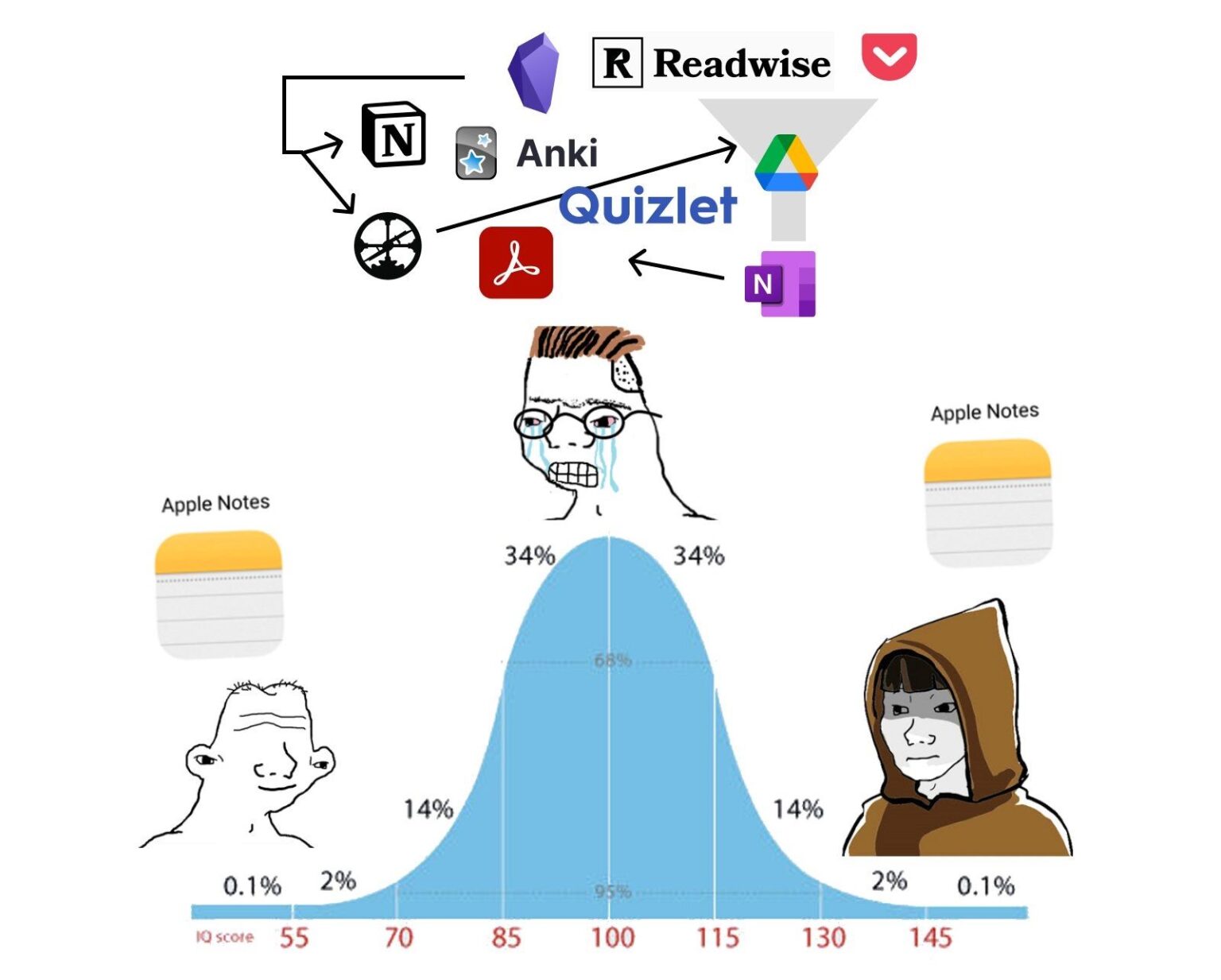
The logical next step to the default notes app is to use one big text file, or "OBTF". A lot of people have had a lot of success with this technique. They simply put every piece of information that they care about into (as the name implies) one big text file and call it a day. There is some software written to make this more comfortable as well. If this is appealing to you, then by all means go ahead with that. My personal knowledgebase is (at the time of writing) 7.2 MiB across 1000+ text files. Putting all of that into one big text file for me would be too bulky.
There is a very attractive and friendly application called Linwood Butterfly which acts as an infinite canvas for you to take hand-written notes. This is really cool but I personally have no use for it. If I was taking lots of notes on a tablet or something similar, I would be all about this. But as it is I just use paper for hand-written things and the rest gets typed up, not scribbled down.
Pen and paper, in fact, is an all time classic #1 top hit blockbuster tool for information storage. Personal knowledgebases are not some newfangled tech bro innovation, they've been around for a long time, just with different names. The oldest and probably most well-known name for this type of thing when done on paper is the Commonplace Book. These were remarkably popular with commoners and the elite alike throughout most of history.
The most well-known commonplace book belonged to Marcus Aurelius, the Roman emperor from 161 to 180 AD. His personal commonplace book became what we know as "Meditations", a foundational work for modern stoicism. They were his personal writings that were never intended for mass publication, just his own notes. Various influential Greek thinkers long before him held similar practices, as did some later figures such as Thomas Jefferson, Napolean, and even Bill Gates.
The big shift between commonplace books and modern personal knowledgebases is the curation of the information that gets put inside of them. Pen and paper used to be a relatively expensive luxury good, so it didn't make sense to use them to record meaningless or trivial information. Many old commonplace book proponents advocated for using them to store wisdom, not facts. Personal knowledgebases, on the other hand, are commonly used to hold both. I think that this is fine. People need to keep track of more information today then they did in 161 AD and both paper and disk space have gotten remarkably cheap. We are no longer bound by the limitations of two millenia (or two centuries) ago.
Given the amount and structure of the information stored in the personal knowledgebases of most users, it is potentially more apt to compare them to Zettelkatsen. This is a practice of recording small pieces of information on individual notecards, then tagging and storing them in some structured manner.
Due to the size of zettelkatsen notecards and the inability to restructure organization and ordering in commonplace books, digital personal knowledgebases are wholey different beasts. They allow for a manner of information retreival and organization that simply wasn't practical before the digitization of the world. They are a relatively new superpower that you can tap into to improve your efficacy in various areas of life. This is primarily how I have used them in mine.
How I Write It Down
Some of my notes start on paper and some of them start digitally. Whether the notes start digitally or on paper is decided in large part by what is nearest to my hands when I need to record some piece of information. Paper notes usually get digitized, but not always.
Paper Notes
I carry around a small form-factor notebook in my wallet. The notebook is the same size as the popular "Field Notes" brand (3.5" x 5.5"), remarkably similar to the size of a passport. I buy off-brand in bulk because they are cheaper that way. My wallet, a Tintris brand "Journal Cover" is specifically advertised as being able to comfortably hold a Field Notes notebook, and it does a fine job. I'm not affiliated with them at all, it's just a statement of fact that that's the wallet I use. I have one pen that I just get refill carts for (again in bulk to save money), and I use this to record most anything that I want to keep when I'm out and about. I also use it when I'm home but don't want to gaze into the glowing rectangle.
Some people prefer to use the notes app on their phone. That's fine, but my phone is a little satanic rectangle and I am dealt psychic damage whenever I look at it. If I pull out my phone to take some note, I am provided with various information about unread emails, unread spam SMS, and unread messages on various messaging apps. I don't like seeing that. So instead I use pen and paper. Some people prefer to use their PKB app on their phone. That's fine, but as I mentioned above, I don't trust my phone to keep all of that information safe.
For longer form stuff, such as notes taken during meetings (where it would be unprofessional to bring a laptop) or notes taken during conference talks, I have some wire-bound full-size notebooks that I absolutely adore. They're the Cambridge Mead "Quad Writing Pad". They occasionally get discontinued and then brought back, so I buy them in bulk whenever they are available. I use these to take long-form notes instead of typing them sometimes because I write a lot slower than I type, which forces me to process and compress the information with my brain. This usually helps me to actually gain a better understanding of the information that I'm writing down, and digitizing them later helps with retention due to spaced repetition. It does have a higher time investment, which is the only real downside.
Paper notes get digitized if it is relevant for them to be. Not all of the paper notes should be digitized, so not all of them are.
Digital Notes
I mentioned a lot of different options for digital PKBs above. I don't use any of them, and instead brewed my own setup which seems to get slightly more complicated every year. I'm sure that in 3 years there will be more to it than I write here, but what follows is a dsecription of my setup as of December 2025.
You can download the whole tarball to play with this yourself, click here.
I consolidated everything across my config into one tarball for this post, so if something doesn't work quite as described please let me know and I'll adjust the tarball for others. Everything here assumes that your dokuwiki files are stored in ~/Projects/dokuwiki/[pages|media]/ as mentioned below. That's where it is on my system.
On my machine all of the nvim config is in init.lua, but in the tarball I moved them to .config/nvim/lua/dokuwiki_customization.lua. That way it doesn't conflict with your existing init.lua file and you can just add this line to yours to activate everything:
require("dokuwiki_customization")
Here's a quick and easy key for the customization that this brings to the table (no pun intended):
| Mode | Keypress | Function |
|---|---|---|
| Insert | Alt+b | bold syntax around the cursor |
| Visual | Alt+b | bold syntax around the selection |
| Insert | Alt+i | italic syntax around the cursor |
| Visual | Alt+i | italic syntax around the selection |
| Insert | Alt+u | underlined syntax around the cursor |
| Visual | Alt+u | underlined syntax around the selection |
| Insert | Alt+t | monospaced syntax around the cursor |
| Visual | Alt+t | monospaced syntax around the selection |
| Insert | Alt+l | hyperlink syntax around the cursor |
| Visual | Alt+l | hyperlink syntax around the selection |
| Insert | Alt+N | Header number N (1-5) syntax around the cursor |
| Visual | Alt+N | Header number N (1-5) syntax around the selection |
| Normal | Enter | Follow dokuwiki link under the cursor or open the web link your web browser |
| Normal | BackSpace | Go back one page |
| Normal | \o | Open media referenced under the cursor with xdg-open |
| Normal | \w | Open current page in localhost DokuWiki instance |
| Normal | \r | Start audio recording |
| Normal | \s | Save audio recording |
| Normal | \\ |
Collapse or expand all folds |
| Bash Shell | transcribe | Transcribe audio recordings |
| Bash Shell | wikify [URL] | Import an external web article into the wiki (requires rdrview in your ${PATH}) |
| Bash Shell | meeting [NAME] | Create a new meeting minutes file with the current date using the designated template |
| Bash Shell | quotes | Open the quotes file |
My requirements for the system are what shaped my choices in technology. This is by no means the "correct" way to do it for everyone, but it is the correct way to do it for me and it might be the correct way to do it for you if you and I are similar people. I need a setup that:
- Allows me to use my text editor, NeoVim.
- Allows me to collaborate with other people if need be.
- Can be easily rendered into rich text instead of the plaintext format that I write it in.
- Is extensible to accomodate my changing needs and desires.
DokuWiki
DokuWiki is the foundation that everything in my PKB (or wiki) is based on. I like it because the markup syntax is nice to look at, it stores everything as text files, and the setup of the web application is remarkably easy. DokuWiki also allows me to collaborate with other people who don't live on the terminal. By spinning up a DW instance with a subset of the files from my PKB, I can share these in a sensible way with normal people, and I can accept changes from them.
Additionally, DokuWiki has a gitbacked plugin. This allows for using a remote git repo as the store for DW's text files. This is great because then you get version management and easy syncronization across multiple systems. I am able to sync my PKB from my laptop to my desktop and a webserver while maintaining the ability to change the files from all three without much forethought. Since I can have multiple git repos with different included files living in the same directory on my computer, I am also able to split off subsets of my wiki for collaboration with distinct teams while keeping everything cleanly integrated into one filesystem tree from my perspective.
Setting up DokuWiki isn't absolutely necessary for any of the rest of the customization below, but it is remarkably easy. On Ubuntu (as root):
apt install php php-xml php-fpm nginx
mkdir /var/www/dokuwiki/
cd /var/www/dokuwiki/
wget https://download.dokuwiki.org/src/dokuwiki/dokuwiki-stable.tgz
tar xvz --strip-components=1 -f dokuwiki-stable.tgz
And then put this into /etc/nginx/sites-enabled/default:
server {
        listen 127.0.0.1:80;
        server_name localhost;

        client_body_buffer_size 128k;
        client_max_body_size 4M;

        index doku.php;
        root /var/www/dokuwiki;

        location '~ ^/data/' {
                internal  ;
        }

        location / {
                try_files $uri $uri/ @dokuwiki;
        }

        location @dokuwiki {
                rewrite ^/(.*) /doku.php?id=$1&$args last;
                rewrite ^/_detail/(.*) /lib/exe/detail.php?media=$1 last;
                rewrite ^/_export/([^/]+)/(.*) /doku.php?do=export_$1&id=$2 last;
                rewrite ^/_media/(.*) /lib/exe/fetch.php?media=$1 last;
        }

        location ~ /(conf/|bin\/inc\/install.php) {
                deny all;
        }

        location ~ \.php$ {
                fastcgi_param REDIRECT_STATUS 200;
                fastcgi_param SCRIPT_FILENAME $document_root$fastcgi_script_name;
                fastcgi_pass unix:/run/php/php-fpm.sock;
                include fastcgi_params;
                try_files $uri $uri/ /doku.php;
        }

        location ~ ^/lib.*\.(js|css|gif|png|ico|jpg|jpeg)$ {
                expires 365d;
        }
}
Then just hit the URL in your browser and continue the setup. If you're doing this on a remote server, configuring the gitbacked plugin is pretty easy so I won't get into it here. I do this on my local machine so that I can easily see what it will look like in the web view as soon as I save a file, so I symlink /var/www/dokuwiki/data/[media|pages]/ to directories in my git tree.
NeoVim
I use NeoVim as my text editor. I used to use regular Vim but I switched away when Bram Moolenaar died. I thought that with his death, Vim would stop seeing development work done and it would stagnate. This was before I had formed ideas on free software immortality. At this point NeoVim is just what I use and my fingers type nvim whenever I want to edit something. I've passed the point of no return.
Since nvim is such an extensible text editor, it is able to integrate quite nicely into the DW tree structure. It also allows me to do things that would be quite laborious otherwise, which we'll get into in a bit. I have wound up with a lot of completely custom functionality written into my nvim environment, and I will warn you that some of it was vibecoded. Sorry, my brain is too small.
Syntax Highlighting
When working with a fancy markup language like DW's, I like to have syntax highlighting in my terminal. For this I use a modified version of Florian Preinstorfer's vim-dokuwiki. My version can be downloaded in the tarball above.
My changes allow for folding (with za) of html, php, code, and file blocks. This is useful since I wind up pasting in sometimes long terminal output in code blocks and being able to hide them is useful.
I need this syntax highlighting to apply whenever I open a DW file, which defaults to having the .dw file extension, but I personally prefer the .txt file extension. So for this I have this snippet set in my nvim's configuration:
-- Source Dokuwiki syntax file when a Dokuwiki file is loaded
vim.api.nvim_create_autocmd({"BufRead","BufNewFile"}, {
  pattern = {'*.txt', '*.dw', '*.dokuwiki'},
  command = "set filetype=dokuwiki"
})
Syntax Automation
DokuWiki's syntax is nice, but it sure does take a lot of typing to make a top level header. It's a whopping 12 equals signs! I have this section in my nvim config which makes doing most syntax a lot easier:
vim.cmd('vmap <a-b> "zdi**<c-r>z**')
vim.cmd('imap <a-b> ****<esc>1hi')
vim.cmd('vmap <a-i> "zdi//<c-r>z//')
vim.cmd('imap <a-i> ////<esc>1hi')
vim.cmd('vmap <a-u> "zdi__<c-r>z__')
vim.cmd('imap <a-u> ____<esc>1hi')
vim.cmd('vmap <a-t> "zdi\'\'<c-r>z\'\'')
vim.cmd('imap <a-t> \'\'\'\'<esc>1hi')
vim.cmd('vmap <a-l> "zdi[[<c-r>z]]')
vim.cmd('imap <a-l> [[]]<esc>2ha')
vim.cmd('vmap <a-1> "zdi====== <c-r>z ======')
vim.cmd('imap <a-1> ======  ======<esc>6hi')
vim.cmd('vmap <a-2> "zdi===== <c-r>z =====')
vim.cmd('imap <a-2> =====  =====<esc>5hi')
vim.cmd('vmap <a-3> "zdi==== <c-r>z ====')
vim.cmd('imap <a-3> ====  ====<esc>4hi')
vim.cmd('vmap <a-4> "zdi=== <c-r>z ===')
vim.cmd('imap <a-4> ===  ===<esc>3hi')
vim.cmd('vmap <a-5> "zdi== <c-r>z ==')
vim.cmd('imap <a-5> ==  ==<esc>2hi')
With this, Alt+b makes somehing bold, Alt+i makes
something italic, Alt+u makes something underlined,
Alt+t makes something monospaced, and Alt+l makes something
into a link. Additionally, Alt+ any
number 1-5 creates a header of that depth. This makes writing way
easier, and it works in both visual mode (with the target text
highlighted) and in insert mode (it just wraps your cursor in the
syntax).
Media Opening
This is where the vibe coding starts.
DokuWiki pages are technically intended to be viewed in a web browser, where they can have embedded images and audio. I thought this was nice and I wanted to be able to open these files directly from my editor without having to go anywhere else, so I first set the keymap of \o to run a lua script:
vim.keymap.set("n", "<leader>o", require("openblock").open_under_cursor, { desc = "Open file or directory from {{:...}} block", noremap = true, silent = true})
And the openblock.lua is included in the above-linked tarball.
This is intended to be done in normal mode when the cursor is on top of a referenced file. It simply opens the target file with xdg-open, so whatever you have configured as your default application for that filetype should just spring up.
Link Following
When I am editing a file in my DW tree and I have a DW link to another file, I would like to be able to go straight to that file without having to type out the whole :e path/to/file.txt thing. Instead I just want to go to it and hit [Enter] on my keyboard and go there. I accomplish this with a vimscript (again vibecoded) that gets sourced from the nvim config:
vim.cmd("source ~/.config/nvim/custom/followlink.vim")
The full vimscript is (you guessed it) in the above-linked tarball. It just follows the link (from the CWD) under the cursor when you press [Enter] on your keyboard.
Browser Opening
Since I have a DokuWiki instance running on my local machine, I wanted an easy way to open the current page in a browser to see what it looks like there. The vimscript gets imported from the nvim config and the whole script is available in the tarball. It was vibecoded. Perhaps you can see a pattern.
vim.cmd("source ~/.config/nvim/custom/browser_open.vim")
From any page, simply hit \w and your browser should open the page that you are editing.
Audio Recorder
I have found it useful at times to have an easy audio recording functionality built into my text editor so that I can put live audio into my wiki. Same pattern as above:
vim.cmd("source ~/.config/nvim/custom/audio_recorder.vim")
Except there are two scripts for this one. I didn't actually vibecode these, I wrote them myself :) In fact nothing from here on out was vibecoded.
You start an audio recording with \r and save it with \s. Upon saving it adds a section below the embedded audio containing a special tag that the next script will look for.
Transcription
One cool thing about the last 3 years is that neural networks have had a glowup and now you can do automatic audio trasncription and it works pretty good. I have a beefy GPU in my desktop that can do this transcription easily, but I don't want it done on my laptop, which is weak by comparison.
For this I use an external script (although a small amount of vibe coding would surely get it integrated perfectly into the editor, I don't mind having it separate). I put this into my ${PATH} and just call it when I want to transcribe the audio recordings that have been generated. I just run this command on my desktop.
The command is transcribe and the script is in the above tarball (wow shocker).
Online Article Imports
One really cool feature that I saw on Notion and wanted to implement in my own wiki was the ability to easily import articles from the web into my own knowledgebase for posterity, archival, or reference. I implemented this by writing a wrapper script around rdrview, a standalone application that serves the same functionality as the "reader view" button in any common web browser. Specifically rdrview uses the same thing as Firefox.
Installing it is pretty easy, just do:
sudo apt install libxml2-dev libseccomp-dev libcurl4-openssl-dev
wget https://github.com/eafer/rdrview/archive/refs/tags/v0.1.5.tar.gz
cd rdrview-0.1.5/
tar xvzf v0.1.5.tar.gz
make
make install
It will put it in /usr/local/ by default. If you want it somewhere else, like to set it up with Environment Modules, then you have to modify the Makefile.
sed -i 's,/usr/local,/modules/sw/rdrview/0.1.5,' Makefile
Once you have rdrview installed, the bash script included in the above tarball should let you just run wikify [URL] and import a web article.
If you instead run wikify [URL] x, then it won't open the article in neovim after creating it.
Meeting Minutes
The Robert's Rules say you gotta have minutes for a meeting. I take meeting minutes of all the meetings that I go to and catalogue them in my wiki. It's helpful to have templates because some meetings follow regular structures that repeat every time. In order to make this easier on myself, I place my template files in meeting_minutes/${ORG}/${TYPE}-template.txt. Then when I want to create a new meeting from that template, I just run the command meeting ${TYPE} and the script in the above tarball figures out the rest.
It creates a new file named meeting_minutse/${ORG}/${DATE}-${TYPE}.txt with the starting contents as the corresponding template file and opens it in nvim. The date format is specifically chosen to be sorted by ls and show up in the correct order, so I sadly couldn't do the American date format for it, even though I generally prefer the American date format.
"That's Going In Quotes"
Spending formative years in VoIP rooms on the Internet has taught me that when someone says something funny or poignant or particularly characteristic, you should write it down in a "quotes file" so that you can refer to it later. My recorded quotes live in my wiki in the notes/quotes.txt file, and I open the file simply by running the command quotes. This is really fast and easy and lets me write things down before I forget them.
Reinventing The Wheel
The astute among the readers may note that I've basically recreated the feature set of VimWiki but with slightly more system integration. This is true. I used VimWiki at one point, and I quite enjoyed it. However some stuff happened that resulted in me losing my VimWiki setup, so I rebuilt from the ground up with DokuWiki instead until I wound up with what you see here.
The extra astute among the readers may note that I'm using NeoVim as an extensible text editor and I could have saved a lot of steps if I just did this all in Emacs. It even has Org-mode! Unfortunately, I can't figure out how to close nvim, so I can't try any other text editors.